
You've been working from home for a while now. Your setup is decent – good laptop, comfy chair, maybe even a standing desk if you're fancy. But something's still off. By 3pm, your eyes feel like sandpaper. You're squinting at your screen. You've adjusted your brightness three times already. And you can't figure out why.
Here's the thing. It's probably not your screen. It's your lighting.
The biggest WFH mistake most people make? Relying on ceiling lights or desk lamps that create glare on your screen. Your eyes have to work harder to see through that reflection – and the result is eye strain, headaches, and a general afternoon slump.
But there's a simple fix: wall lights.
Wall lights, or sconces, are the unsung heroes of home office lighting. They soften the room, reduce glare, and make your workspace feel like a proper office – without the harsh overheads. Here's how they work, and why you need them in your WFH setup.
Why Your Desk Lamp Is Causing Glare

Here's a scenario you'll recognise.
You're working at your desk. Your desk lamp is on, pointing at your keyboard. It's bright enough to see, and you think it's helping. But every time you glance at your screen, there's a reflection. Maybe it's the lamp itself. Maybe it's the window behind you. Either way, you're squinting.
The problem: Most desk lamps are directional. They point light straight down or straight across – and if that light hits your screen at the wrong angle, you get glare. Your pupils constrict. Your eye muscles tense. Your brain works overtime to compensate.
The fix: Move your task light away from direct screen reflection. But here's the trick – you still need light in the room. That's where wall lights come in.
Wall lights cast soft, indirect light that fills the room without creating harsh reflections. They bounce light off the wall and into the room, so your screen stays clear and your eyes stay comfortable. Add a dimmable bedroom wall light behind your monitor, and you've got the perfect balance of brightness without glare.
For more on reducing eye strain, check out our guide on what kind of light reduces eye strain.
How Wall Lights Reduce Glare

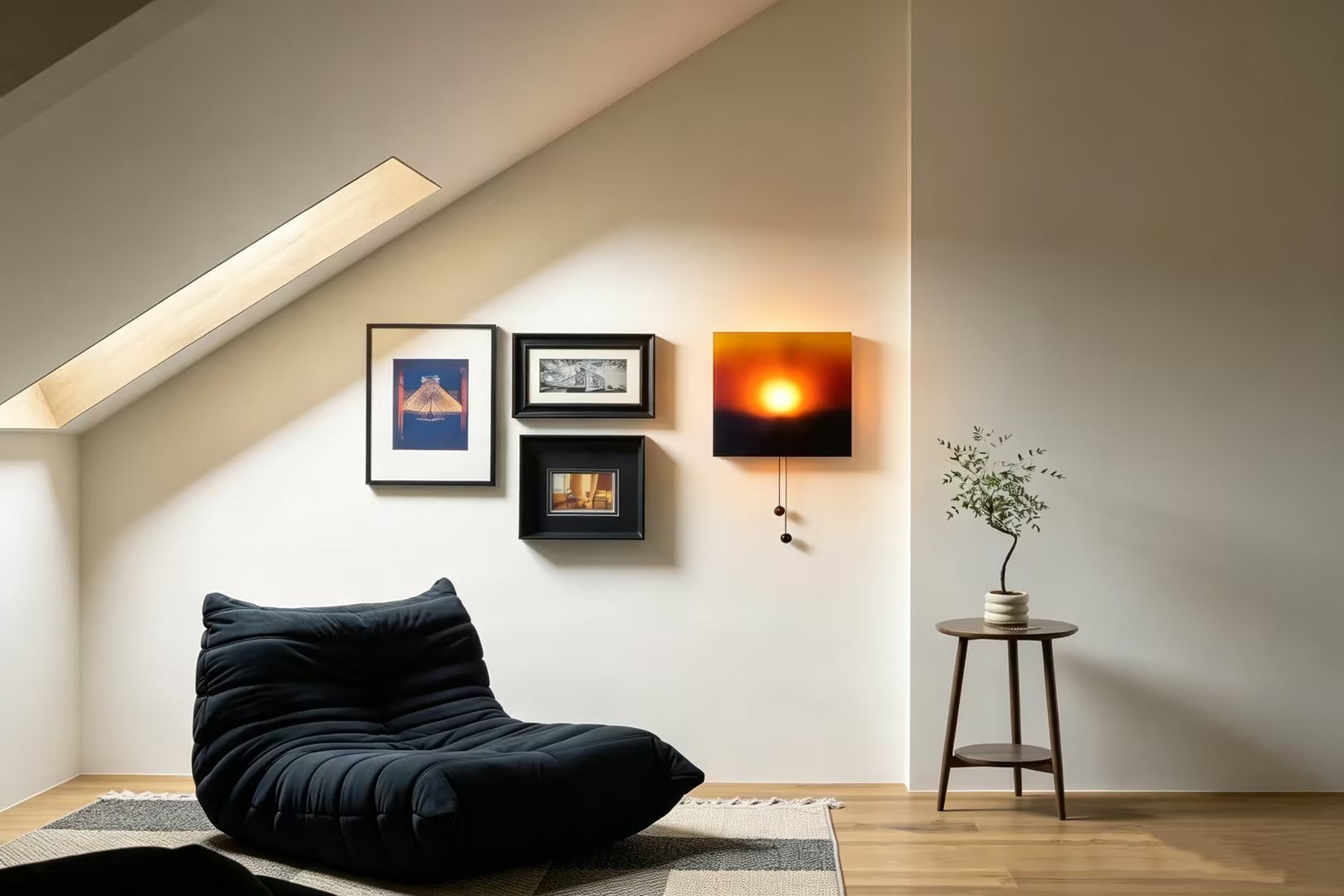
Wall lights, also called sconces or lights on wall in bedroom and living areas, are mounted on the wall and cast light upward or outward. That indirect light reduces harsh contrasts and reflections.
The science: Glare happens when a direct light source reflects off your screen and into your eyes. Wall lights, because they bounce light off the wall first, create an even, ambient glow that doesn't reflect the same way. The light is softer, more diffused, and easier on your eyes.
The result: Less squinting, fewer headaches, more productive afternoons.
Where to Position Wall Lights for WFH
Positioning matters more than you think.
The best setup for a home office is to place wall lights on either side of your monitor. This illuminates your work surface and surrounding area without creating harsh reflections.
How to set it up:
-
One wall light on each side of your screen, mounted at eye level or slightly above
-
Use dimmable warm bulbs (2700K) so you can adjust brightness as the day changes
-
Angle the shades slightly outward to cast light across the room, not directly toward your screen
This setup is called layered lighting. The wall lights provide ambient illumination, while your desk lamp (if needed) provides targeted task lighting. Together, they reduce glare and eye strain.
For a deeper dive into layering, our guide on layered lighting for Australian homes walks you through the process.
Wall Lights vs. Desk Lamps
Some people worry that wall lights won't be bright enough for detailed work. But the truth is, they serve a different purpose than desk lamps.
Desk lamps are for task lighting – focusing light directly onto your keyboard, documents, or crafts. They're great for close-up work, but they often create glare on screens.
Wall lights are for ambient lighting – softening the overall room, reducing contrast, and making your workspace feel more comfortable. When you use both together, you get the best of both worlds: bright enough to see, soft enough to avoid glare.
Choose Dimmable Wall Lights
One of the best things about wall lights is that you can dim them as the day changes. Bright in the morning, softer in the afternoon, cosy in the evening. That flexibility makes them perfect for WFH setups.
Pro tip: Use warm bulbs (2700K) in your wall lights and cool bulbs (4000K) in your desk lamp for a balanced setup. Your eyes will thank you.
When you're shopping for lamps for sale, look for dimmable options – they're worth the extra cost for the control they give you.
The 2026 WFH Way
Working from home isn't going away. But it's evolving. In 2026, people aren't just setting up a desk and hoping for the best. They're designing their workspaces for comfort, productivity, and long-term health.
Wall lights are a big part of that. They reduce glare, which reduces eye strain. They create a more comfortable environment, which means you can work for longer without feeling drained. And they make your home office look more professional – an added bonus for Zoom calls.
Quick Checklist: WFH Wall Light Setup
Do this right now:
-
Check your current lighting setup for glare spots on your screen
-
Move your desk lamp if it's causing direct reflection
-
Add a wall light on each side of your monitor
Buy this next:
-
A pair of dimmable wall lights with warm bulbs
-
A desk lamp with an adjustable arm for task lighting
-
A dimmer switch or smart plug to adjust brightness
The Bottom Line
Your WFH setup should work for you, not against you. If your eyes feel tired and your screen is covered in reflections, it's time to rethink your lighting.
Wall lights are a simple, effective solution. They reduce glare, eliminate eye strain, and make your workspace feel more comfortable. Add a desk lamp for task lighting, and you've got the perfect WFH setup.
Ready to upgrade your home office? Explore our collection of wall lights, soft light lamps, and dimmable floor lamps at Homezee today.
FAQs
1. What's the best lighting setup for a home office?
A mix of ambient, task, and accent lighting – with warm bulbs and dimmers. Start with a pair of wall lights for ambient illumination, add a desk lamp for task lighting, and keep overhead lights on a dimmer for flexibility.
2. Do I need a desk lamp if I have wall lights?
Yes. Wall lights are for ambient illumination, while desk lamps are for focused tasks. Use both for the best results.
3. How do I position wall lights to avoid screen glare?
Place one wall light on each side of your screen, mounted at eye level or slightly above. Angle the shades outward to cast light across the room, not directly toward your screen.
4. Can I use wall lights in a rental property?
Yes. Plug-in wall lights are a great option for renters – they don't require hardwiring and can be easily moved.
5. What's the ideal colour temperature for WFH lighting?
Use warm bulbs (2700K) for ambient lighting and cool bulbs (4000K) for task lighting. This balances comfort and productivity.