
Buying smart lights in Australia used to be a simple choice between "the expensive ones" and "the cheap ones." But in 2026, the landscape has changed. With the rollout of new energy standards and the universal "Matter" protocol finally becoming the norm, there’s a lot more to look at than just how pretty the colors are.
If you’re standing in the aisle at Bunnings or scrolling through Amazon AU, here is the ultimate guide to the specs that actually matter for an Aussie home.
1. The "Fitting" Truth: B22 vs. E27
First things first: in Australia, we are a divided nation when it comes to sockets. Before you spend a cent, you need to know what’s already on your ceiling or lamp.
-
B22 (Bayonet Cap): These are the ones you push and twist. They are incredibly common in older Australian homes.

-
E27 (Edison Screw): These are the ones you screw in. You’ll find these more often in modern builds or floor lamps.

Pro Tip: Don’t assume your whole house uses one type. It’s very common for Aussie homes to have B22s in the ceiling and E27s in the bedside lamps. Double-check every single one!
2. Connectivity: Matter, Zigbee, or Wi-Fi?
This is where most people get tripped up. How your lights "talk" to your phone or smart speaker determines how reliable they’ll be.
Wi-Fi (The "No Hub" Option)

Wi-Fi lights (like LIFX or entry-level TP-Link) connect directly to your router.
-
The Good: Cheap and easy to set up.
-
The Bad: If you have 30 light bulbs, they can clog up your Wi-Fi and slow down your Netflix stream. They also tend to "drop off" if your router isn't top-tier.
Zigbee (The "Stability" King)
-
The Good: They don't use your Wi-Fi; they talk to a "Hub" or "Bridge." This makes them lightning-fast and super reliable.
-
The Bad: You have to buy the Hub, which adds to the upfront cost.
Matter & Thread (The 2026 Standard)
In 2026, Matter is the spec you want to see on the box. It’s a universal language that lets Apple, Google, and Alexa devices all play nice together.
-
Why it matters: It future-proofs your home. If you buy a "Matter-enabled" bulb, you aren't locked into one brand's app forever.
3. Brightness: Look at Lumens, Not Watts
In the old days, we bought "60W bulbs." In the smart LED era, wattage is just how much power it sucks from the wall—it doesn't tell you how bright it is.
For an Aussie living room or kitchen, you want to look at Lumens (lm):
-
400 lm: Mood lighting or bedside lamps.
-
800 lm: The standard for a small bedroom.
-
1100+ lm: What you need for high ceilings or a bright kitchen.
For a detailed breakdown on getting this right, check out our companion guide:
How Many Lumens Do You Need for a Bedroom?
Aussie Energy Note: As of March 2026, new GEMS (Greenhouse and Energy Minimum Standards) regulations have kicked in. Make sure your bulbs are registered and compliant. They’ll be more energy-efficient and last longer in our hot summers.
4. Color Temperature (CCT) and CRI
Ever bought a "white" light that made your living room look like a cold hospital wing? That’s because of the Color Temperature, measured in Kelvin (K).
-
2700K – 3000K (Warm White): Best for bedrooms and lounges. It’s cozy and yellowish.
-
4000K (Cool White/Natural): Great for kitchens and home offices. It’s crisp and clean.
-
5000K+ (Daylight): Very blue/white. Good for garages, but usually too harsh for inside.
Also, keep an eye on CRI (Color Rendering Index). You want a CRI of 90 or higher. This ensures that the colors of your furniture, food, and clothes look "real" under the light, rather than washed out or grey.
5. Dimming: Software vs. Hardware

Here is a mistake that causes many headaches: Smart lights do not like traditional wall dimmers.
If you have a physical dimmer switch on your wall (the little dial or slider), a smart bulb will likely flicker or buzz. Smart bulbs have their own internal dimming hardware controlled via an app or voice.
The Solution: Leave your wall switch "ON" at all times and use your phone, a voice command, or a compatible smart remote to dim the lights. If you really want to use a wall dial, you’ll need to look into "Smart Dimmer Switches" (which require an electrician) rather than just "Smart Bulbs."
6. Weather Resistance (IP Rating)
If you’re planning to light up your deck, patio, or BBQ area, you need to check the IP Rating.
-
IP44: Fine for under a porch (splash-proof).
-
IP65 or IP67: Essential for garden lights or anything exposed to the rain.
Australia’s sun is brutal on plastic, so if you're buying outdoor smart lights, look for UV-stabilized materials so they don't turn brittle and yellow after one summer.
7. Our Recommendation: The Best All-Rounder for Aussie Homes

If you're looking for a bulb that ticks all the boxes—brightness, color range, and ease of use—we recommend the Homezee Smart Bulb Wi-Fi Multicolour E27.
Why it’s perfect for the Australian market:
-
Plug & Play: No expensive hubs required. It connects straight to your Wi-Fi.
-
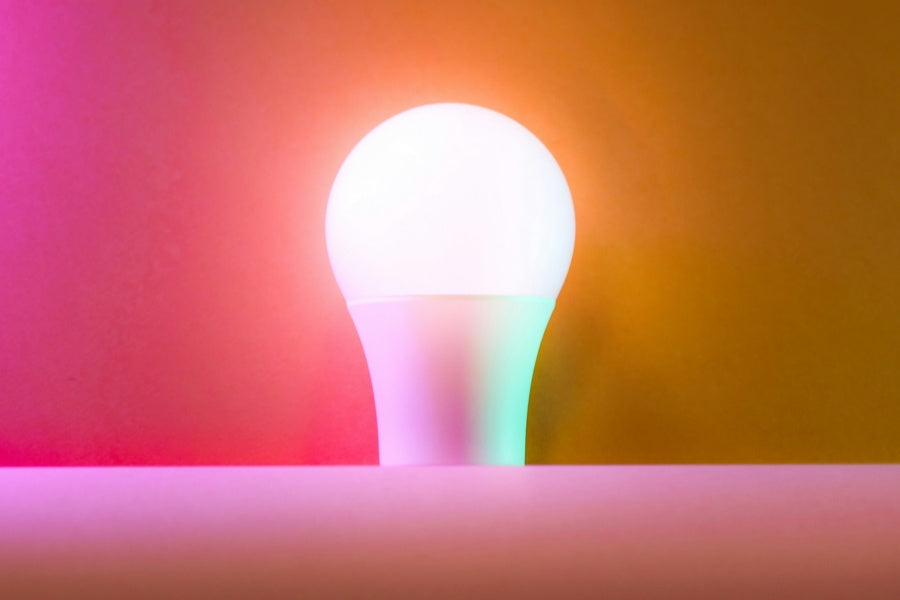
Million of Colours: Whether you want a cozy warm white for a movie night or a vibrant purple for a party, it’s all in the app. Check out the video below to see the lighting effects in action:
https://www.instagram.com/p/DV_8GGUE8U1/
-
Energy Efficient: Designed to meet modern standards, helping you keep those Aussie electricity bills down.
-
Voice Control Ready: Fully compatible with Google Home and Alexa, so you can just say "Hey Google, dim the lights" after a long day.
It’s the ideal starting point for anyone looking to upgrade their home without the technical headache.
Summary Checklist for your AU Purchase:
-
Check the base: B22 or E27?
-
Check the protocol: Does it support Matter (for future-proofing) or Wi-Fi (for simplicity)?
-
Check the brightness: Is it at least 800 lumens for a main room?
-
Check the CRI: Is it 90+ for better color quality?
-
Safety First: Does it meet the AS/NZS electrical standards?
Smart lighting isn't just about changing colors for a party anymore; it's about convenience, security, and saving on those rising Aussie electricity bills. Stick to these specs, and you won't be left in the dark!
FAQ
1. Can I use smart bulbs in my existing light fixtures?
Absolutely! As long as the base matches (B22 for Bayonet or E27 for Edison Screw), smart bulbs are designed to fit standard Australian fixtures.
2. Will smart lights work if my Wi-Fi goes down?
If your Wi-Fi is down, you won't be able to control the lights via your phone or voice assistant. However, you can still turn them on and off using your traditional wall switch. They will usually default to a standard warm white when toggled manually.
3. Are smart bulbs more expensive to run?
Actually, they are quite efficient! Smart bulbs use LED technology, which consumes significantly less power than old incandescent or halogen bulbs.
4. Can I change the color of the light with my voice?
Yes, if you have a compatible smart speaker. Once you sync your Homezee Smart Bulb with Google Home or Amazon Alexa, you can simply say, “Hey Google, change the living room light to Blue," or "Alexa, set the bedroom to Warm White.”
5. How many smart bulbs can I connect to my Wi-Fi router?
Most standard Aussie home routers can handle about 15–20 devices comfortably. If you plan on installing 30+ smart bulbs, you might notice some lag.